
Build Your Own Agent Harness: The Practical Blueprint (Part 12)

Series: The Agent Harness — Part 12 of 12
Eleven posts. Eleven components. Hundreds of design decisions, naming patterns, anti-patterns, and checklists.
This final post is not a recap. It’s a synthesis — the kind you can actually use to make a decision and start building. We’ll answer three questions in order:
- Do you actually need an agent harness?
- Should you build one, or use a platform?
- If you build, what are the principles worth stealing from Claude Code?
Then we’ll point you at a practical kit to start right.
Question 1: Do You Actually Need a Harness?
Most LLM use cases don’t need one. The wrong answer here costs months.
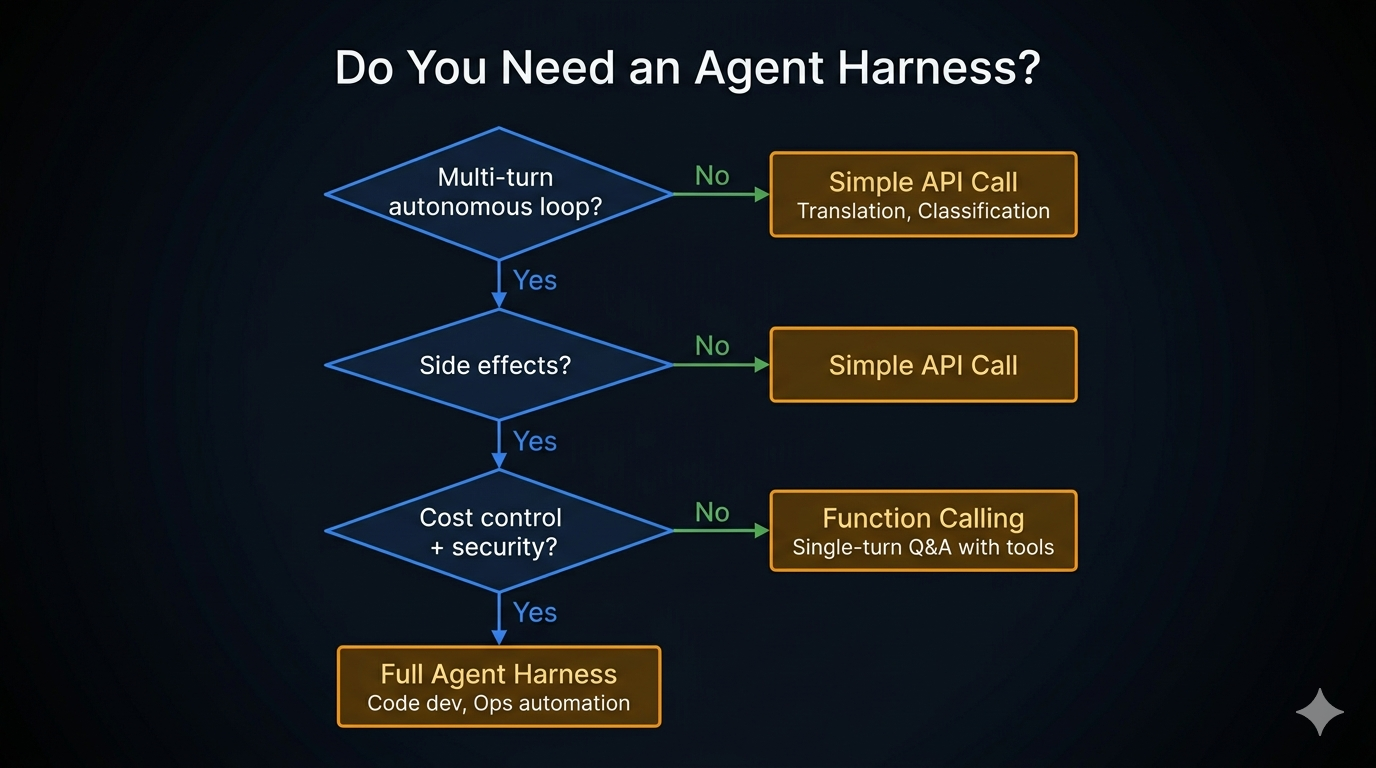
The decision lives in three questions, applied in order:
Does the agent need to act on intermediate results?
  No  → Simple API call. Stop here.
  Yes ↓

Does it involve side effects (files, commands, network)?
  No  → Simple API call. Stop here.
  Yes ↓

Does it need cost control, security, or multi-turn state?
  No  → Function Calling (single-turn tool use)
  Yes → Agent Harness
The rule of thumb: if your system needs the LLM to perform “observe → think → act → observe again,” you need a harness. If it’s “input → output,” you don’t.
| Use case | Right choice |
|---|---|
| Translation, summarization, classification | Simple API call |
| Single-turn Q&A with one or two tool calls | Function Calling |
| Code editing, ops automation, research loops | Agent Harness |
If you are building a harness when a simple API call would do, you are not being more sophisticated — you are creating maintenance overhead for no benefit.
Question 2: Build Your Own or Use a Platform?
Assuming you need a harness, the next honest question is whether to build one or adopt a framework like LangGraph, CrewAI, AutoGen, or a hosted platform like Vertex AI Agents or Bedrock Agents.
The common framing is “build vs. buy.” The more useful framing is: at what point does custom beat framework?
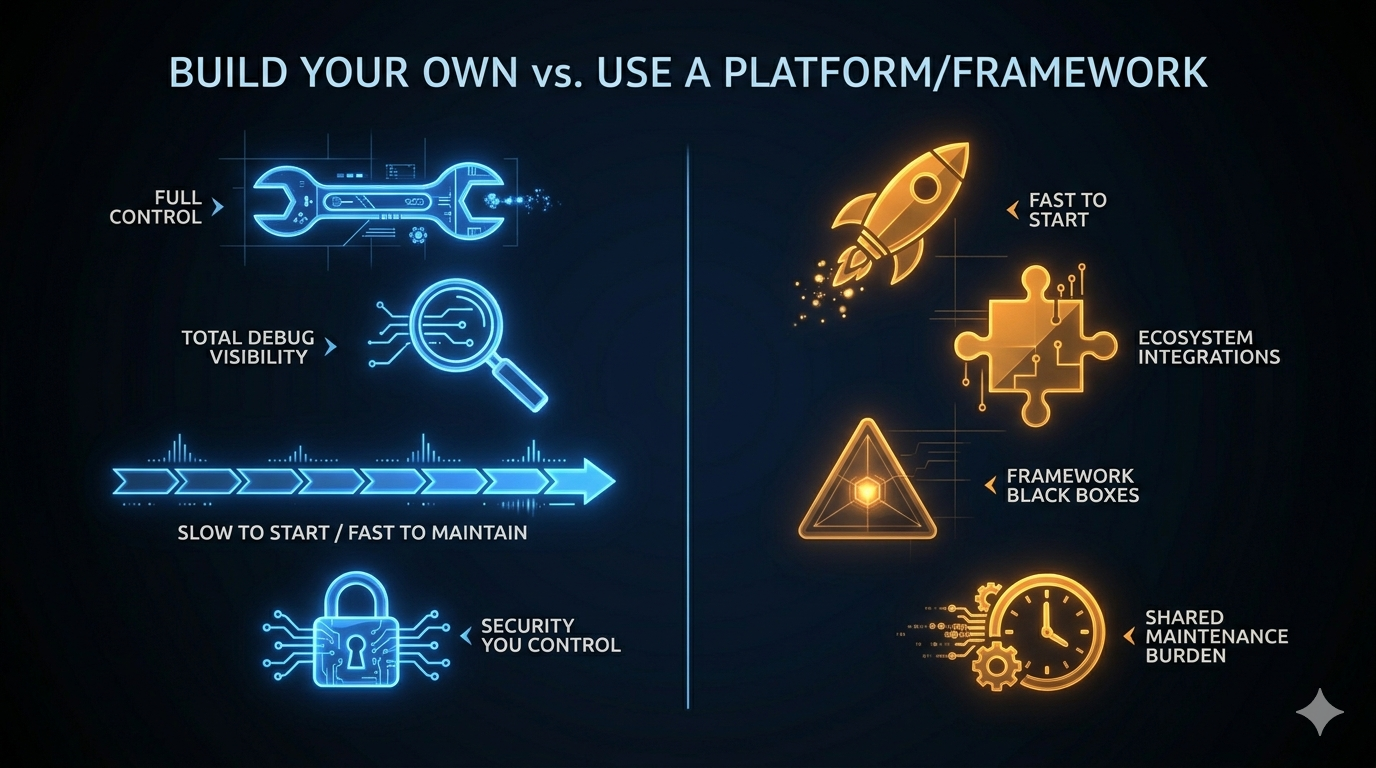
| Dimension | Build Your Own | Platform / Framework |
|---|---|---|
| Initial velocity | Slow (you build everything) | Fast (components exist) |
| Customization ceiling | None | Framework abstractions |
| Debug visibility | Total (you wrote it) | Partial (black boxes) |
| Maintenance burden | Yours alone | Shared with community |
| Architecture fit | Exact | Approximate |
| Security control | Full | Depends on the framework |
| Upgrade path | You decide when to change | Framework release schedule |
The honest answer most teams don’t want to hear: frameworks win at the start; custom wins at scale.
Use a framework for:
- Proof of concept and early validation
- Teams without dedicated infrastructure engineers
- Domains where the framework’s built-in tool integrations cover most of your needs
Build your own for:
- Production systems where you need full visibility into every permission check
- Use cases where the framework’s abstraction layer creates problems faster than it solves them
- Teams that have hit the ceiling of a framework and are spending more time working around it than using it
Claude Code is a useful data point here. Anthropic chose to build everything from scratch — no framework dependency, no abstraction tax, no upgrade path to manage. The result is a system where every component is designed exactly for the problem it solves. The tradeoff is that they own every bug and every maintenance burden.
For most teams, the right path is: start with a framework, migrate custom components as you hit the ceiling. The ceiling usually shows up in permission control, context management, or debugging production failures.
Question 3: What to Steal from Claude Code
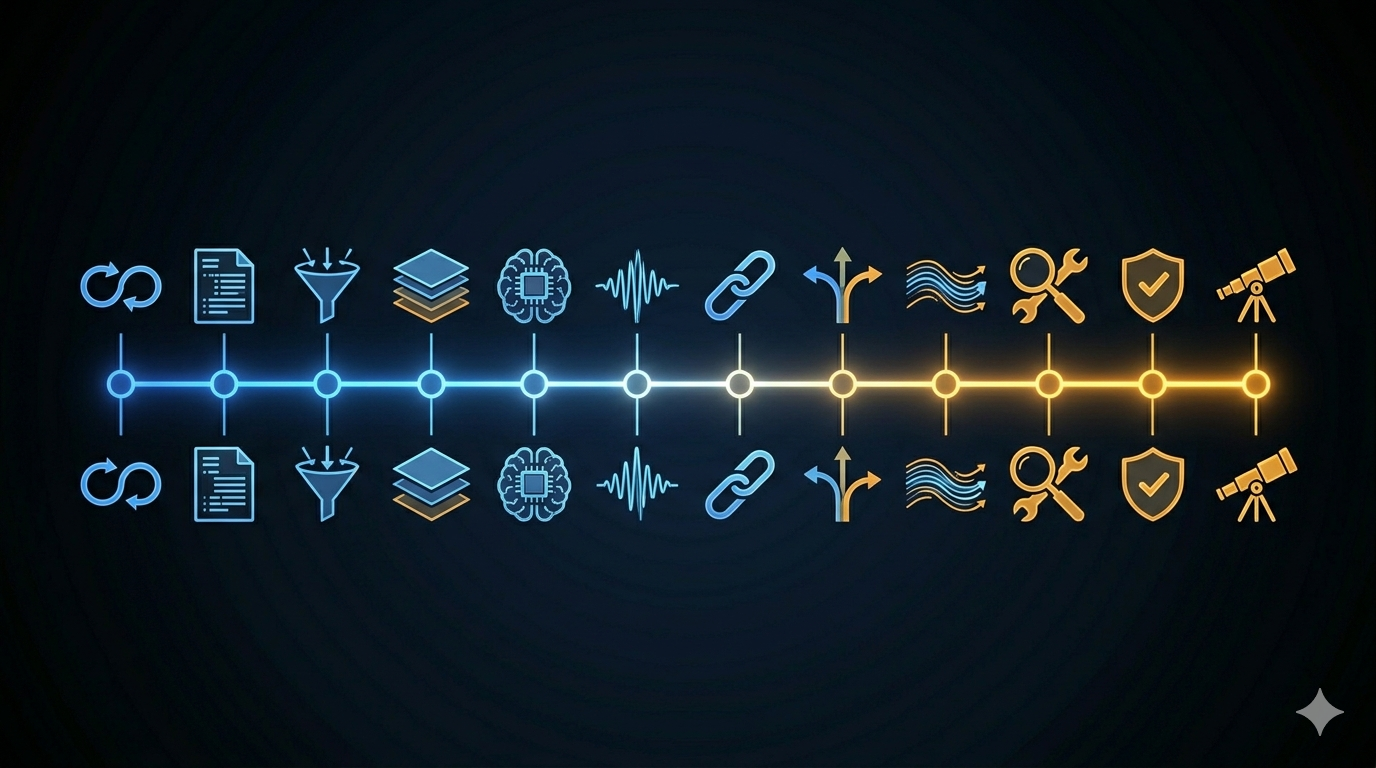
If you’ve read this series, you’ve spent eleven posts inside Claude Code’s architecture. The most valuable output isn’t the code — it’s the design decisions that kept recurring across unrelated components.
These aren’t Claude Code-specific. They’re the engineering discipline that makes any autonomous agent production-ready.
1. Loops over recursion
Every component in Claude Code that could have been recursive is iterative. The agent’s core is while(true), not a call stack.
Why it matters: you cannot abort a recursive turn mid-flight. State recovery requires unwinding a stack. In-flight inspection becomes frame tracing. The loop gives you a natural checkpoint every iteration — a place to read state, apply compression, check abort signals, and write new state atomically.
Covered in Part 2.
2. Schema-driven, not hard-coded
Validation logic, permission checking, and model documentation all derive from the same Zod schema. One definition — no drift.
The discipline: never maintain separate schemas for validation and documentation. They will diverge. When they do, the model starts hallucinating input formats. The schema is the single source of truth or it’s not the source of truth at all.
Covered in Part 3.
3. Progressive permissions with a clear winner
Four stages, in order. Each stage can short-circuit. And the rule that never bends: deny always wins over allow, regardless of source or order.
Fail-safe, not fail-stop: invalid input routes to “ask the user,” not a crash. The system stays safe even when something unexpected happens.
Covered in Part 4.
4. Layered config with defined merge semantics
Six layers, ascending priority. The nuance that makes it work: arrays concatenate and deduplicate across layers (allow-lists, hook lists, permissions); scalars shadow (model, temperature, timeout).
The failure mode when you skip this: team settings stomp user preferences, or personal machine paths leak into shared config. Both erode trust fast.
Covered in Part 5.
5. Memory is a clue, not a conclusion
Store only what cannot be derived from current project state at runtime. Treat stored memories as signals that warrant verification — not as ground truth.
Trust “why” memories directly (they record decisions). Verify “what” memories against current state (file paths go stale; configurations change). The failure mode of treating memory as fact is an agent that confidently acts on outdated information.
Covered in Part 6.
6. Compress proactively, not reactively
Context management done wrong waits until overflow, then panics. Done right, it compresses at natural milestones — task boundaries, before a new major phase — while there’s still enough working memory to make intelligent compression decisions.
The circuit breaker is non-optional: three consecutive compression failures stop further attempts. Without it, a broken API state generates thousands of wasted calls before the session terminates.
Covered in Part 7.
7. Extension without forking
The hook system is how Claude Code lets operators customize behavior across 26+ lifecycle events without modifying core code. The architecture: events fire at known points; hooks subscribe; hooks output structured JSON; both the JSON and the exit code are read.
Start with Command hooks (shell scripts). Reach for Prompt hooks only when script logic is genuinely insufficient. Never use Prompt hooks for decisions a grep can make.
Covered in Part 8.
8. Minimum necessary context and tools for sub-agents
Every sub-agent gets the minimum context and minimum tool set needed for its task. No sub-agent sees the full conversation history. No sub-agent gets write tools if it only needs to read.
The depth limit (≤3 levels) is enforced in code, not by convention. Depth limits enforced by convention are not enforced.
Covered in Part 9.
9. Streaming first, everywhere
AsyncGenerator<StreamEvent> from the loop all the way to the UI. Every component is incremental and cancellable.
The failure mode of batching: users see a blank screen for ten seconds, then everything at once. Streaming makes agents feel fast even when they’re doing real work. It also makes them cancellable at any point — which is critical for cost control in production.
Covered in Part 10.
10. Read before you write
Plan Mode is not a UX suggestion. It’s an enforcement mechanism: write tools are denied at the permission pipeline level during the planning phase. The agent literally cannot act until you approve.
The principle extends to anything with significant blast radius. The cost of exploration is nearly zero. The cost of a wrong first move in a multi-file refactor can be hours of recovery work.
Covered in Part 11.
The Smart Way to Start: The Agent Harness Kit
Knowing the principles is one thing. Starting a new project from a blank file and applying them correctly is another.
The agent-harness-kit is a portable spec and skill set built directly from this series. It contains:
SPEC.md— Design rules, anti-patterns, and per-component checklists for all 10 components. Load it into any AI coding assistant before designing or building agent infrastructure.- Skills for Claude Code, Gemini, and Codex — Pre-configured project instructions that load the spec automatically when you describe an agent design problem.
agent-harness-kit/
├── SPEC.md                        Design rules + checklists for 10 components
└── skills/
    ├── claude/
    │   ├── SKILL.md               Claude Code skill (/build-agent)
    │   └── CLAUDE.md              Add to your project's CLAUDE.md
    ├── gemini/
    │   └── GEMINI.md              Drop into project root
    └── codex/
        └── system-prompt.md       Paste as system or project instructions
Two workflows it supports:
Starting a new harness: Describe your agent to the AI — what it does, what tools it needs, what side effects it has. The skill walks you through the six components in dependency order, applying spec rules at each step.
Auditing existing agent code: Say “audit this codebase against the agent harness spec.” The AI produces a gap report: compliant / partial / missing / anti-pattern for each component. Useful before a production launch or after inheriting someone else’s agent infrastructure.
The kit will be available at github.com/sherlockliu/agent-harness-kit.
What This Series Has Actually Been About
Most agent systems fail at the seams — between the loop and the tool system, between the permission check and the context state, between what the model thinks is true and what’s actually on disk.
Claude Code’s architecture doesn’t prevent those failures by being clever. It prevents them by being deliberate: every boundary is defined, every failure mode is named, every component has a clear contract with every other component.
The twelve posts in this series were an attempt to make that deliberateness legible. Not to produce a new framework, but to show the reasoning behind specific decisions — so you can apply the reasoning to your own system, in your own language, with your own constraints.
LLMs are text generators by default. Agent harnesses are what make them autonomous. The difference is engineering.
Your agent is the goal.
References
Series posts
- Part 1: What Is an Agent Harness?
- Part 2: The Dialog Loop
- Part 3: The Tool System
- Part 4: The Permission Pipeline
- Part 5: Configuration as Architecture
- Part 6: The Memory System
- Part 7: Context Management
- Part 8: The Hook System
- Part 9: Subagents, Coordinators & Skills
- Part 10: Streaming Architecture
- Part 11: Plan Mode
External references
- Building Effective Agents — Anthropic Research
- Dive into Claude Code: Design Space of AI Agent Systems — arxiv
- LLM Powered Autonomous Agents — Lilian Weng
Have thoughts on this?
I read every email. If something resonated, felt wrong, or made you think — I'd love to hear from you.
Comments